New MyChef Update: Choose How Menu Items Are Displayed
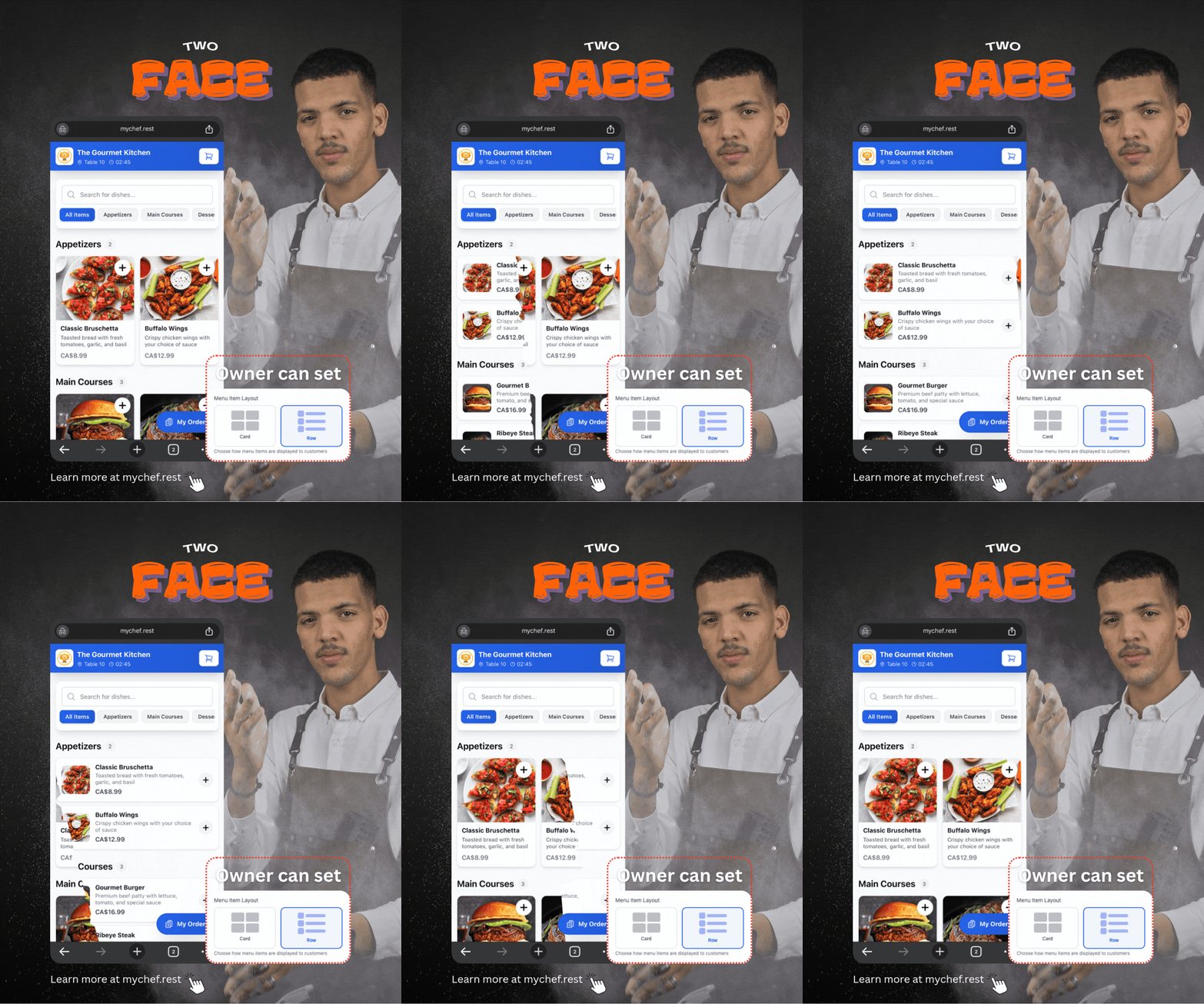
With the new Menu Item Layout setting, restaurant owners can choose between two display styles: Card View and Row View. This makes it easier to create a menu layout that matches the restaurant’s style and helps customers browse items comfortably.
My Chef Team
1 month ago
My Chef now gives restaurant owners more control over how their digital menu appears to customers.
With the new Menu Item Layout setting, restaurant owners can choose between two display styles: Card View and Row View. This makes it easier to create a menu layout that matches the restaurant’s style and helps customers browse items comfortably.
Card View
Card View displays menu items in a visual grid with larger food photos. This option is ideal for restaurants that want to showcase attractive images and encourage customers to explore the menu visually.
It works especially well for:
- Restaurants with professional food photography
- Cafés, dessert shops, and fast-food businesses
- Menus where presentation plays an important role
- Customers browsing on larger screens
Row View
Row View displays menu items in a clean, organized list. Customers can quickly review item names, descriptions, prices, and photos while scrolling through the menu.
This option is useful for:
- Restaurants with many menu items
- Customers browsing on mobile devices
- Businesses that prefer a compact menu design
- Faster and easier menu navigation
Restaurant Owners Stay in Control
Restaurant owners can select their preferred layout directly from their My Chef account. Once the setting is changed, the customer-facing digital menu will automatically use the selected design.
There is no need to redesign the menu, update QR codes, or make technical changes. Restaurant owners can switch between layouts whenever they want.
A Better Digital Menu Experience
Every restaurant is different. Some restaurants want large, attractive food images, while others need a simple layout that allows customers to browse quickly.
By offering both Card View and Row View, My Chef helps restaurants create a digital menu experience that works best for their customers.
Log in to your My Chef account, choose your preferred menu layout, and give your customers a faster and more personalized ordering experience.